
For support leads
Answers grounded in what you wrote
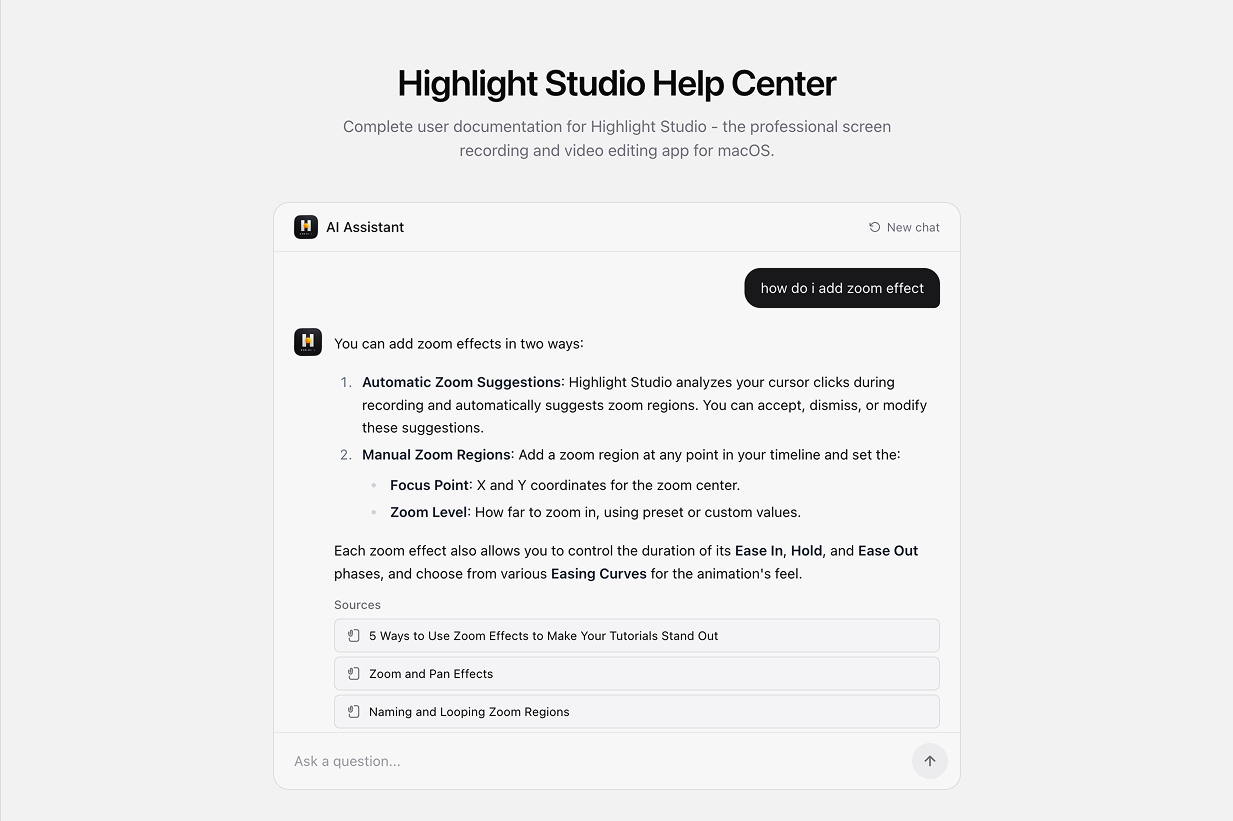
Retrieval runs against published articles and the answer names its sources — so when it is wrong you can see which article made it wrong and fix that one.
HomeHelp Center
Get startedArticles embedded as vectors and retrieved by meaning, with every answer naming the articles behind it. Fifty revisions per page, translations per locale, and the whole surface available over MCP.
Book a demo →Cited answers
Sources come back as structured records with similarity scores, not a footnote.
50 revisions
Kept per article, with a change note and one-click restore.
MCP
Read, write, version and translate from Claude Code or Cursor.
Organize
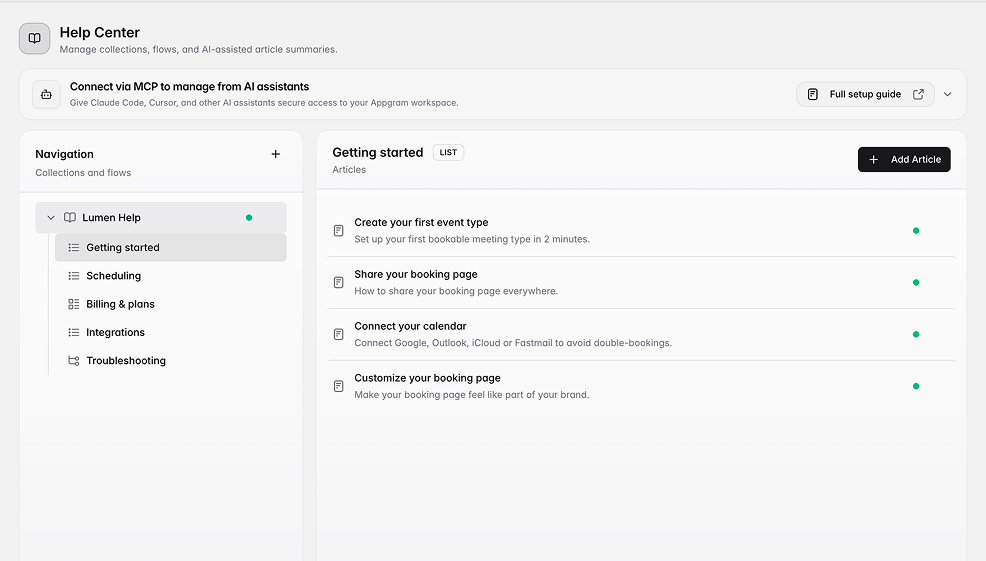
A collection holds flows, a flow holds articles, and both reorder. Articles are guides, FAQs, tutorials, or Mermaid flowcharts — and decision-tree nodes handle the branching kind of help that prose handles badly.
Answer
Articles are embedded and indexed with HNSW cosine similarity, so "how do I add a zoom effect" finds the right page even when the article never uses those words. Retrieval runs against published content only, and every source comes back with its id, title and similarity score.
Revisions
A snapshot is taken before each content change — title, body, excerpt, type, locale, publish state, SEO. Reordering does not create one. Restoring writes an old revision back and snapshots the current state first, so the restore is itself undoable. Translations are full articles in their own right, each with its own slug, publish state and history.
Who uses it
For support leads
Retrieval runs against published articles and the answer names its sources — so when it is wrong you can see which article made it wrong and fix that one.
For technical writers
Fifty revisions per article with a change note and one-click restore. Rewriting a page is reversible, so it stops being a decision.
For engineering
Create, update, version and translate over MCP from your editor, so the docs change in the same pass as the code.
Connected
Every module writes to the same customer graph, so data captured here shows up wherever it is useful — no connectors to authorize, no sync to babysit.
See all integrations →AppGram modules
FAQ
Retrieval is restricted to published content and the model is given only what was retrieved. Every answer returns the source records it used, with similarity scores, so you can check the grounding rather than take it on trust.
Yes. Each content change snapshots the previous state first, and restoring writes it back — after snapshotting what is live, so the restore can itself be undone. The newest fifty revisions are kept per article.
Yes. Each locale is a full article with its own slug, publish state and revision history, linked to its siblings by a translation group. Creating one clones the source so a translator starts from text rather than a blank page.
Yes, including multi-locale source content. Inline images are rewritten into your own asset storage so nothing keeps loading from your previous vendor. It runs as a resumable background job.
Yes. The MCP server exposes articles, collections, flows, revisions and translations, authenticated with an API key scoped to what it is allowed to reach — so Claude Code or Cursor can update the docs in the same pass as the code.
Get started
Everything you were bolting together — feedback, roadmap, changelog, help, support, status, forms — in a single workspace with one API and one bill.
Cancel anytime. Yours to test on real customers.